Call reporting
Review call counts, talk time and activity by employee. Use date filters to focus on the period you need.
Send us a quick message and our team will follow up with a tailored demo or answer your questions.
FOR SALES, SUPPORT AND FIELD TEAMS
Understand employee activity, organize lead ownership and keep follow-ups moving. Give managers and team members one place to stay informed.
Pricing based on your requirements. Contact us for details.
EVERYDAY TEAM OPERATIONS
Practical tools for reviewing calls, sharing responsibility and planning the next action.
Review call counts, talk time and activity by employee. Use date filters to focus on the period you need.
Assign leads to team members and keep responsibilities clear as records move through your workflow.
Review missed calls and pending follow-ups so your team can decide what needs attention next.
CONNECTED RECORDS
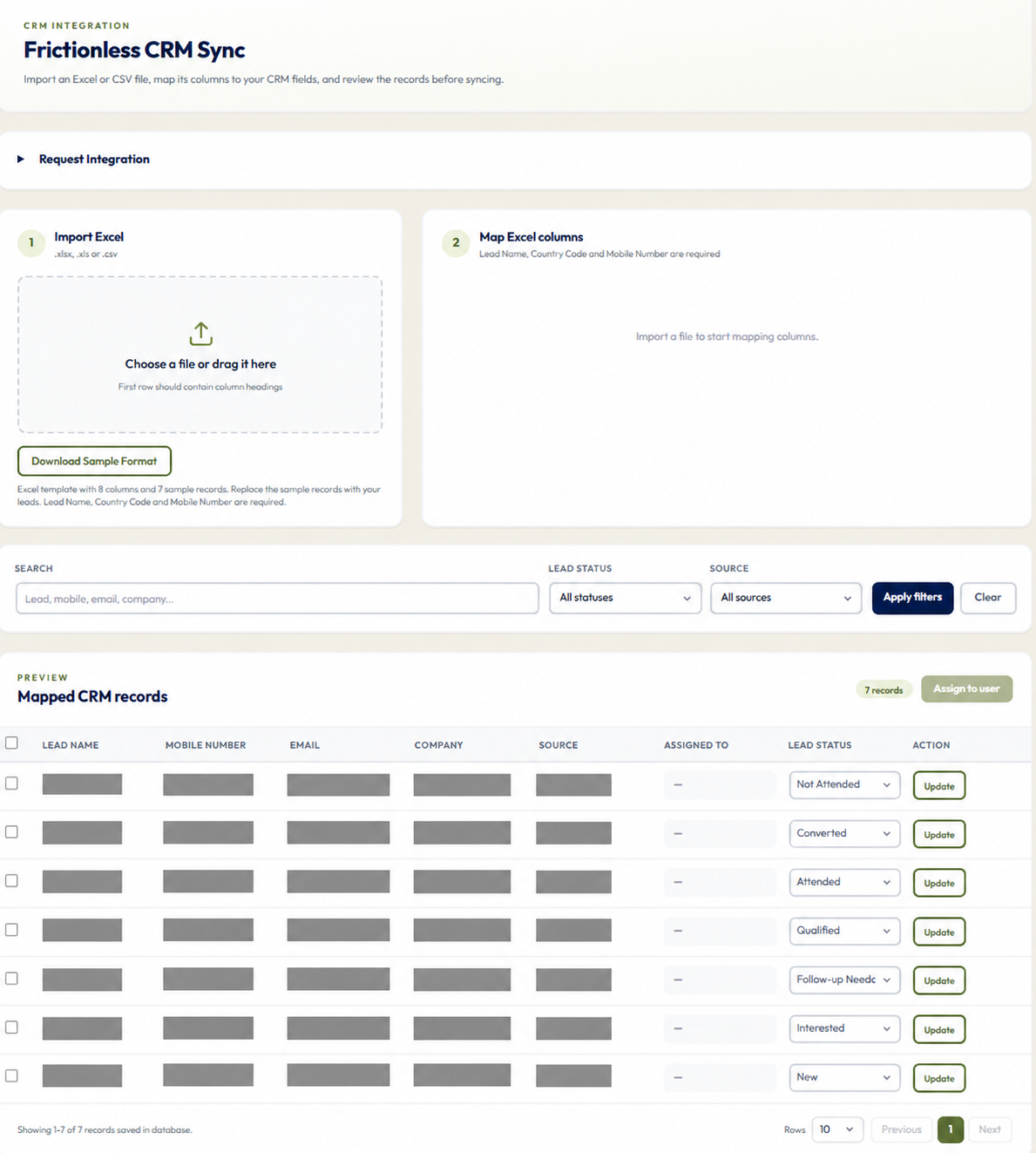
Bring existing records into your business workflow with a guided import. Map fields and check the preview before syncing.
Start with an Excel or CSV file containing your records.
Match the file's columns to the fields in your workspace.
Check the mapped records before continuing.
GETTING STARTED
Discuss your team size and requirements, then set up the workspace.
Bring team members into the Business app and sync permitted work-call activity.
Use employee reports and lead ownership to guide daily work.
PERSONAL OR BUSINESS
Get forever free insights into your own calls. Choose Business when you need to manage calls, people and follow-ups together.
Your own calls, contacts and everyday calling patterns.
₹0 subscription fee
Forever free personal call analytics.
FOR YOUR EVERYDAY CALLS
For individual use on Android. Advertising may be shown to support the forever free experience.
Explore Personal features →A shared workspace for managers and calling teams.
Contact for pricing
Get a quote for your team size and requirements.
FOR YOUR WHOLE TEAM
For sales, support and growing teams. Discuss included capabilities and billing when requesting your quote.
Explore Business features →Compare the essentials before you choose.
| Feature | Personal | Business |
|---|---|---|
| Best for | Individuals | Managers and teams |
| Pricing | Forever free - INR 0 subscription fee | Contact for pricing |
| Call insights | Your own activity | Activity across your team |
| Reports | Personal records | Employee and team reports |
| Employee management | Not included | Included |
| Lead assignment | Not included | Included |
| Team follow-up visibility | Not included | Included |
Common questions
Clear answers about team setup, visibility, reporting and business plans.
It is designed for sales, support, field teams, agencies, consultants and growing businesses that rely on customer calls.
Yes. Authorized managers can review user-wise calls, talk time, answered activity, trends and reports.
Yes. Teams can import and assign leads, maintain ownership, update status and track pending follow-ups.
Pricing is based on team size and the reporting or CRM capabilities your organization needs.
Yes. Organizations needing deeper lead, WhatsApp, conversion and sales workflows have a growth path through VSCRM.