CRM Sync
Keep lead activity and call data synchronized in one reliable workflow.
CRM Sync FAQs
What information can be synchronized?
Lead details, call activity, outcomes, notes, and follow-up information can stay connected.
Does CRM Sync reduce manual data entry?
Yes, it reduces repeated updates by keeping related activity organized automatically.
Can agents see recent customer activity?
Yes, agents can use the synchronized history to understand the latest customer context.
Does it help managers monitor the pipeline?
Yes, synchronized activity provides managers with a more consistent view of team progress.
Overview
CRM Sync connects your calling activity with the customer records your team works with every day.
Lead details, call outcomes, follow-up notes, and activity history stay organized without repeated manual entry.
Your sales team gets current context before every conversation while managers retain a consistent view of the pipeline.
Bring a spreadsheet into the lead workflow
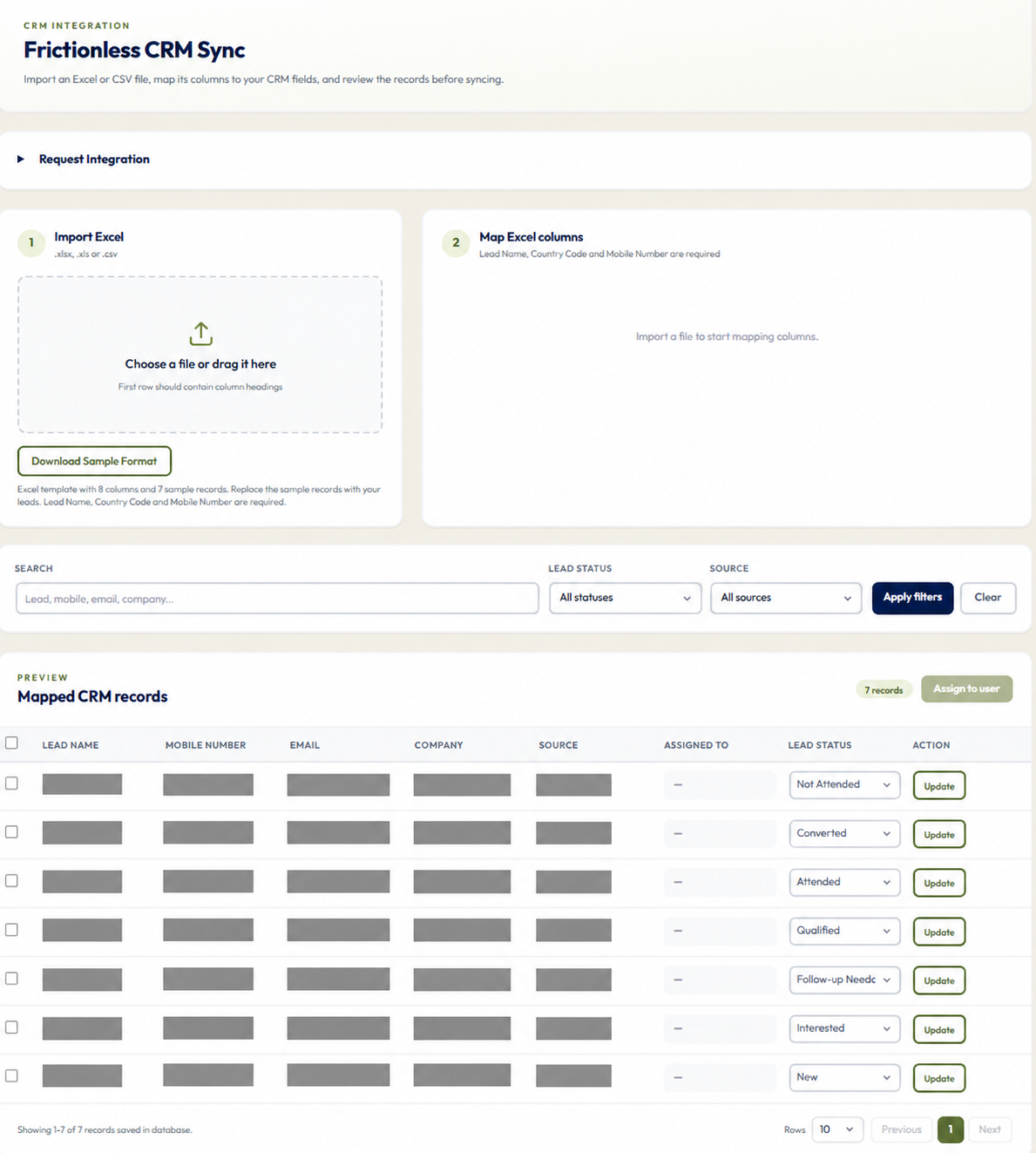
- Download the sample format, replace its examples and check Lead Name, Country Code and Mobile Number for each row.
- Upload your Excel or CSV file, review the column mapping and apply it when the required fields are selected.
- Compare saved records with your file, select the relevant leads and use Assign to user. Save status changes with the row's Update action.