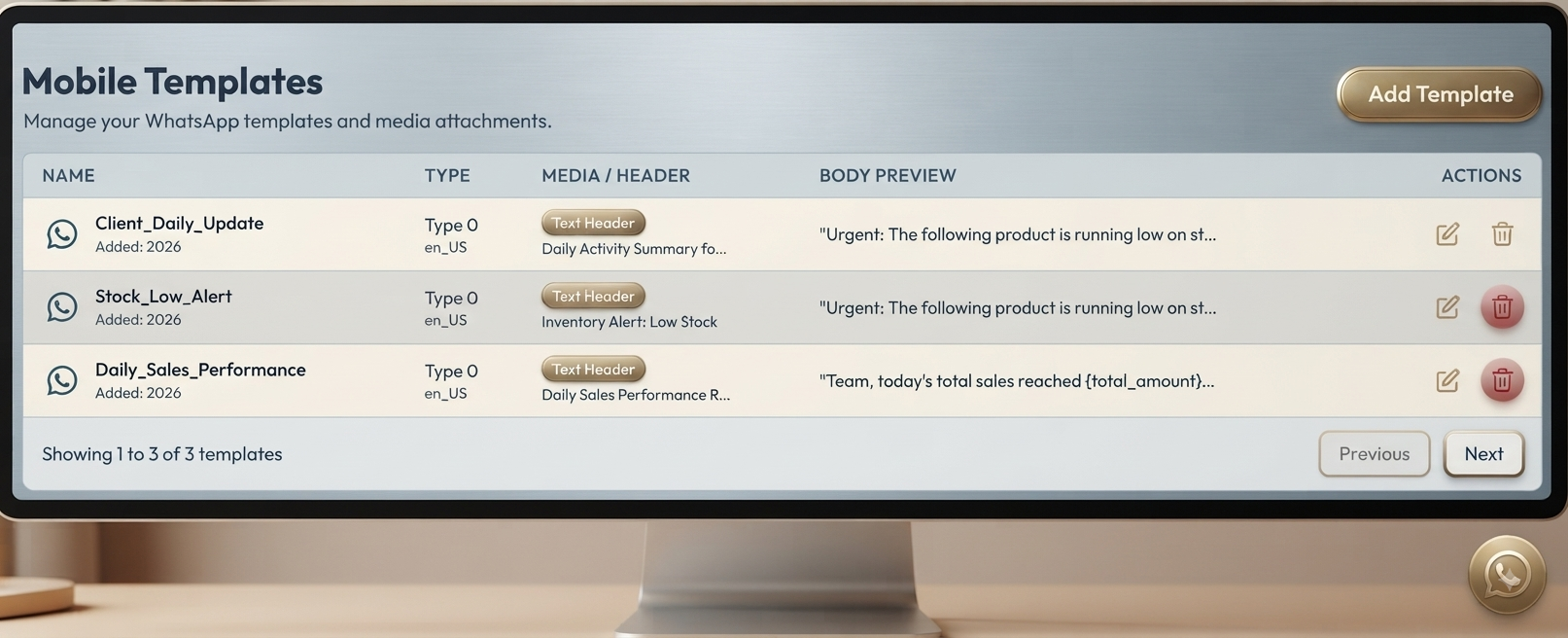
Mobile Templates: Communicate Faster with Ready-to-Use Messages
DialSummary Mobile Templates: Communicate with Customers Faster
Sales and support teams frequently send similar messages to customers.
These may include:
- Follow-up reminders
- Product details
- Meeting confirmations
- Payment updates
- Thank-you messages
Writing the same message repeatedly takes time and can result in inconsistent communication.
DialSummary’s Mobile Templates feature helps employees respond faster using organised, reusable message formats.
What Are Mobile Templates?
Mobile Templates are pre-written messages that employees can use during regular customer communication.
Instead of typing a complete message every time, employees can:
- Select a suitable template.
- Personalise the message.
- Review the information.
- Send it to the customer.
This saves time while keeping communication clear and professional.
Respond to Customers Faster
Customers expect quick responses.
Ready-to-use templates reduce typing time and help employees share important information without unnecessary delays.
Mobile Templates can help employees:
- Respond to enquiries quickly
- Send promised information
- Confirm appointments or meetings
- Complete follow-up communication
- Reduce customer waiting time
- Handle more conversations efficiently
Faster responses can improve customer engagement and demonstrate professionalism.
Maintain Consistent Communication
When every employee writes messages differently, customers may receive incomplete or inconsistent information.
Mobile Templates provide a standard communication format across the team.
This helps businesses maintain:
- Consistent language
- Correct product information
- Professional tone
- Complete customer instructions
- Clear next steps
- Standard company messaging
Employees can still customise each message based on the customer’s requirements.
Simplify Sales Follow-Ups
Sales representatives can use templates for common situations such as:
- Initial customer introductions
- Product or service information
- Follow-up reminders
- Demonstration confirmations
- Pricing details
- Meeting schedules
- Quotation follow-ups
- Callback confirmations
- Thank-you messages
These templates allow employees to focus on customer conversations instead of repeatedly writing the same content.
Support Customer Service Teams
Support teams can prepare templates for:
- Frequently asked questions
- Issue acknowledgements
- Service updates
- Resolution confirmations
- Support-ticket updates
- Required customer information
- Maintenance notifications
- Follow-up requests
This helps employees respond quickly while maintaining a professional tone.
Customers receive clear and consistent information throughout the support process.
Reduce Communication Errors
Writing messages manually can result in:
- Spelling mistakes
- Missing information
- Incorrect product details
- Unclear instructions
- Inconsistent language
- Forgotten next steps
Pre-approved templates reduce these errors and ensure that important details are included in every customer response.
Templates can improve accuracy without preventing employees from personalising communication.
Save Time for the Entire Team
Even a few minutes saved on each message can significantly improve daily productivity.
Mobile Templates help employees:
- Reduce repetitive typing
- Respond to more customers
- Complete follow-ups faster
- Maintain message quality
- Spend more time on valuable conversations
- Reduce delays in customer communication
Employees can handle more customer interactions without compromising communication quality.
Personalise Messages Before Sending
Templates provide a useful starting point, but messages should still feel personal.
Before sending a template, employees can add:
- Customer name
- Product or service details
- Meeting date and time
- Pricing information
- Previous conversation context
- Relevant documents or links
- Specific next steps
- Employee contact details
For example, instead of sending a generic follow-up message, an employee can mention the customer’s specific requirement and the agreed callback date.
Personalisation makes template-based communication feel relevant and professional.
Improve the Customer Experience
Fast, clear, and consistent communication builds customer confidence.
Templates help businesses deliver:
- Quicker responses
- Accurate information
- Professional messages
- Consistent communication
- Clear follow-up instructions
- Reduced customer waiting time
A well-written and personalised template can make customer communication both efficient and meaningful.
Conclusion
DialSummary’s Mobile Templates feature helps businesses:
- Save time
- Standardise customer communication
- Reduce errors
- Improve employee productivity
- Complete follow-ups faster
- Deliver professional customer responses
Use DialSummary to create reusable messages and help your team communicate with customers faster and more effectively.