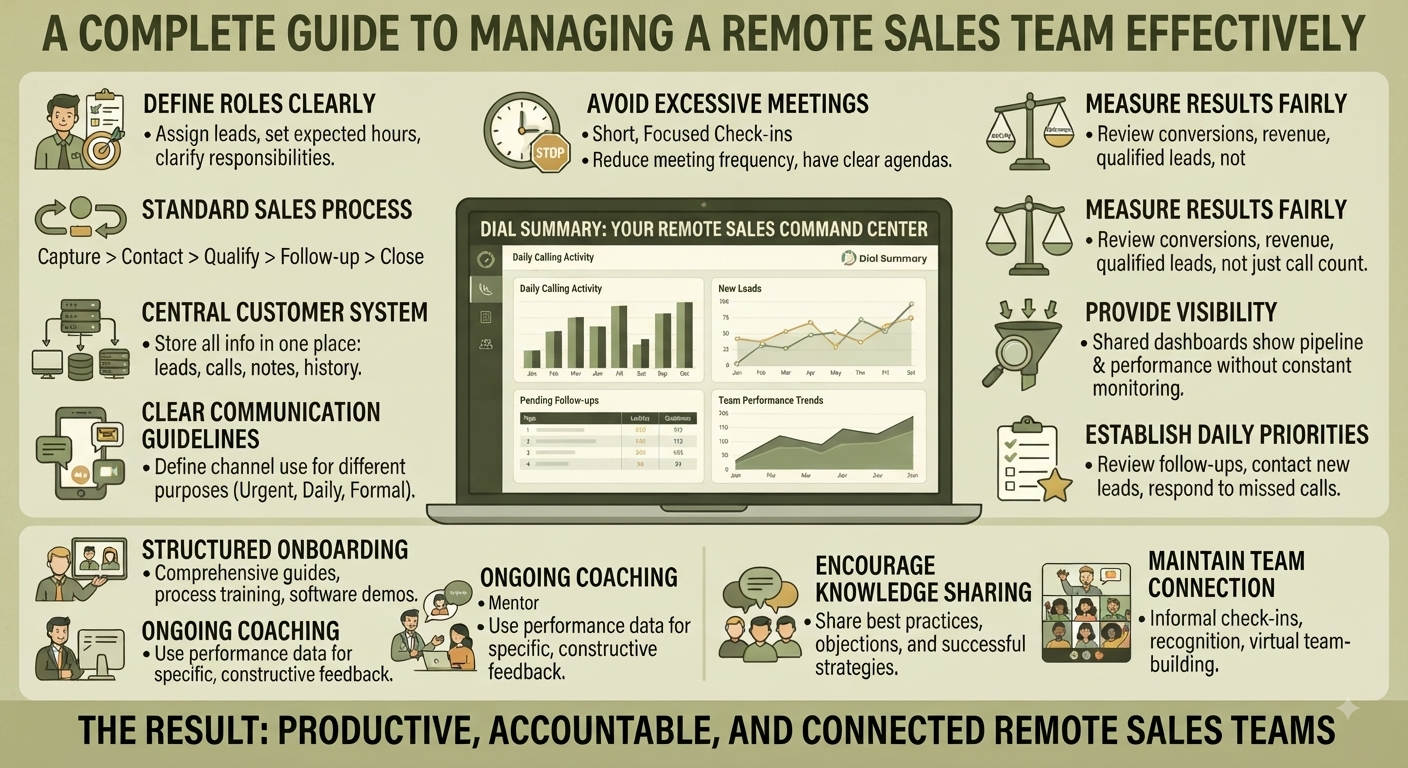
A Complete Guide to Managing a Remote Sales Team Effectively
At the end of a busy day, a remote sales manager asks for an update. One representative shares a spreadsheet, another sends a message, and a third promises to update the customer records tomorrow.
Everyone has been working, but the manager still cannot tell which customers are waiting, which opportunities need help or what should happen next.
Managing a remote sales team requires more than checking whether employees are online. People need clear responsibilities, dependable customer information and a straightforward way to ask for support.
The goal is to build a working routine that helps representatives act independently while keeping the team coordinated.
1. Define What Good Work Looks Like
Remote employees should not have to guess how their work will be evaluated.
Set expectations around responsibilities and customer commitments before discussing activity targets.
Clarify:
- Who responds to new enquiries
- How leads are assigned
- Where conversation notes belong
- When employees should update lead status
- How customer callbacks are recorded
- Who handles pricing or product questions
- What to do when an employee is unavailable
Be specific enough that someone can follow the process without asking a manager each time.
For example, “Keep your leads updated” is vague. A clearer expectation is:
After a meaningful customer conversation, update the outcome, record any commitment and identify the next action before handing the enquiry to someone else.
Define the result you need, then give employees room to organise their work.
2. Agree on Working Hours and Customer Coverage
Remote work can involve different locations, schedules and time zones.
Agree on when employees are expected to be available, which hours require customer coverage and when colleagues can reasonably expect a response.
Separate three things:
- Working hours: When an employee is scheduled to work.
- Shared availability: When colleagues can meet or resolve questions together.
- Customer commitments: Specific callbacks, demonstrations and promised updates.
These will not always be identical.
A representative may need uninterrupted time to prepare a proposal. Another may work a later shift to match customer availability.
Make coverage visible and plan handovers so customer communication does not depend on someone responding outside their agreed hours.
3. Keep Lead Ownership Clear
An unassigned enquiry can be overlooked. A lead with several assumed owners can receive duplicate calls.
Every active opportunity should have a person responsible for coordinating the next step.
That person does not need to answer every technical question personally, but they should know:
- What the customer needs
- What information is still outstanding
- Who is helping resolve it
- When the customer expects an update
DialSummary Lead Tracker can support an organised lead workflow by helping teams maintain customer information, ownership and progress.
Ownership means responsibility for continuity, not simply having a name beside a record.
4. Maintain Records That Colleagues Can Use
Remote teams cannot rely on overhearing a conversation or asking someone across the desk.
Customer records need enough context for an authorised colleague to continue the work.
A useful update captures:
- The customer’s current requirement
- The outcome of the latest conversation
- Questions or concerns still unresolved
- Information already provided
- Any promised action
- The next contact arrangement
Avoid notes such as “Interested” or “Follow up later” when more specific information is available.
A better note would be:
Customer is reviewing the proposal with their operations manager. They need clarification on setup support before Friday. Amit will obtain the answer and send an update by Thursday afternoon.
This tells the team what matters and who is doing what.
5. Use a Simple Communication Routine
Too many meetings interrupt selling time. Too few opportunities to communicate can leave employees stuck.
Choose a routine that matches the team’s work. A practical starting point might include:
- A brief written update on priorities and blockers
- A regular pipeline review focused on decisions
- Individual coaching sessions
- A clear route for urgent customer issues
Keep routine reporting in the agreed workspace where possible. Meetings should help resolve something, not require everyone to read their activity aloud.
A useful written update can be short:
Priority: Complete two scheduled demonstrations.
Blocker: Waiting for approval on a revised quotation.
Help needed: Pricing decision before the customer’s 3 p.m. callback.
The manager can act on this without asking for a second explanation.
6. Review Performance With Context
Calling activity can help you understand how work is progressing, but no single number gives a complete picture.
Consider three types of information:
- Activity: Contact attempts, conversations and scheduled follow-ups.
- Work quality: Accurate notes, clear next steps and reliable commitments.
- Outcomes: Qualified opportunities, decisions and confirmed sales results.
DialSummary Team View can help managers review available employee calling activity. Use that information alongside assignments, working time and customer context.
One representative may handle short initial enquiries while another conducts longer proposal discussions. Comparing only their call totals would ignore the difference in their work.
Review the assignment before judging the numbers.
7. Use Dashboards to Find Questions Worth Investigating
A dashboard can help you notice a change, such as increased missed calls or a different pattern of activity.
It does not necessarily explain the cause.
Before acting, check:
- The selected date range
- The employees included
- Whether the periods are comparable
- Any changes in assignments or availability
- Whether expected data has synced
The DialSummary At-a-Glance Dashboard provides a starting point for reviewing calling summaries.
Use it to decide where a closer look may be useful. If something appears unusual, review the relevant records and speak with the employee before reaching a conclusion.
8. Make Coaching Specific and Practical
Remote employees need useful feedback, not just a message saying their numbers should improve.
Focus coaching on a behaviour the representative can practise.
For example:
“The customer asked about implementation time, but the answer moved directly to pricing. On the next conversation, clarify the implementation question before discussing the quotation.”
A productive coaching session can follow five steps:
- Ask the employee how they think the work is going.
- Review a relevant example.
- Identify what worked well.
- Agree on one improvement.
- Decide when to review progress.
Where an authorised recording is available and appropriate to use, it may support a more specific discussion. Be clear with employees about how performance information and recordings are used.
Recognise effective habits too. Clear follow-up notes or a thoughtful customer question can provide useful examples for the rest of the team.
9. Build a Reliable Handover Process
Remote teams need a plan for leave, shift changes and unexpected absence.
Before transferring an opportunity, record:
- The customer’s current position
- The most recent interaction
- Pending questions
- Promised documents or updates
- The next agreed contact time
- The receiving employee
Then confirm that the receiving person understands the task.
DialSummary Full Call History can help authorised colleagues locate available earlier interactions. Combine that history with current notes rather than expecting call details alone to explain the customer’s requirements.
A handover is complete when someone can act confidently on the next step.
10. Give New Employees a Clear Starting Point
Remote onboarding should cover more than account access and a product presentation.
New representatives need to know how work moves through the team.
Prepare a practical introduction to:
- The products and customers they will work with
- Lead assignment and update expectations
- Common customer questions
- Approved information and message templates
- Escalation contacts
- Reporting and communication routines
Let new employees practise with fictional enquiries before handling complex customer situations independently.
Pair them with someone who can answer routine questions, and schedule opportunities to review their early work. This reduces the pressure to guess when something is unclear.
A Practical Example: Resolving a Delayed Proposal
Consider this fictional remote-team situation.
A representative is waiting for pricing approval before sending a proposal. The customer expects an update that afternoon, but the manager is in meetings.
Without a clear process, the representative may keep waiting while the customer receives no response.
With an agreed workflow:
- The representative records the pending approval and customer deadline.
- They raise the blocker through the team’s escalation channel.
- The designated approver reviews the request.
- If approval will be delayed, the representative updates the customer before the promised time.
- The lead record shows the revised commitment and its owner.
The team has not eliminated every delay. It has made the delay visible and preserved responsibility for customer communication.
Common Remote Sales Management Mistakes
Treating Online Status as Productivity
Being visible online does not explain the quality or outcome of someone’s work. Review responsibilities and completed commitments instead.
Requesting the Same Update in Several Places
Asking employees to maintain a customer record, spreadsheet and separate daily message with identical information creates unnecessary work.
Turning Every Question Into a Meeting
Use written updates for routine information and reserve discussions for decisions, coaching or complex issues.
Comparing Employees Without Considering Their Roles
Account complexity, lead quality and other responsibilities can produce very different activity patterns.
Letting Blockers Sit Without an Owner
When a representative needs help, identify who will respond and when. “Waiting for approval” should not remain an indefinite status.
Start With a Few Consistent Habits
A remote sales team does not need a complicated management system to become better coordinated.
Start with four habits:
- Give each active lead a clear owner.
- Keep customer commitments in an agreed workspace.
- Make it easy to raise a blocker.
- Review performance with context and specific feedback.
Once these habits are reliable, refine the process based on where the team still experiences delays or confusion.
Effective remote management gives people clarity, support and accountability without requiring constant supervision.
For available product guidance, visit the DialSummary Help Centre.