Automated Lead Tracker
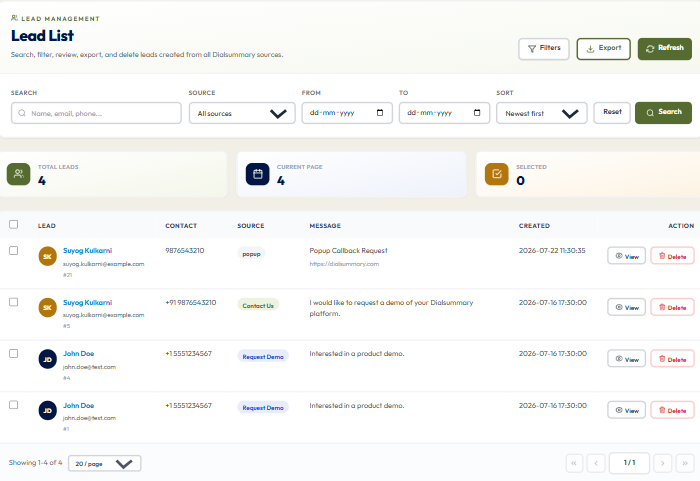
To access this feature, open your DialSummary Dashboard and select Lead Tracker. Monitor deal progression, assign follow-up priorities, capture call outcomes, and manage lead lifecycle stages in real time.
Setup Instructions
Step 1
Customize your sales stages in Lead Settings: New Lead, Contacted, Demo Scheduled, Proposal Sent, Won, or Lost.
Step 2
Set up lead assignment rules (Round Robin, Agent Workload, or Geographic Territory) to route incoming leads evenly.
Step 3
Telecallers receive new leads immediately on their mobile screen with a prompt to initiate first call attempts.
Step 4
Post-call, the Quick Disposition Modal triggers automatically: log call summary, select outcome, and schedule next follow-up.
Step 5
View pending follow-ups in the calendar view to ensure no scheduled callbacks are missed or delayed.
Step 6
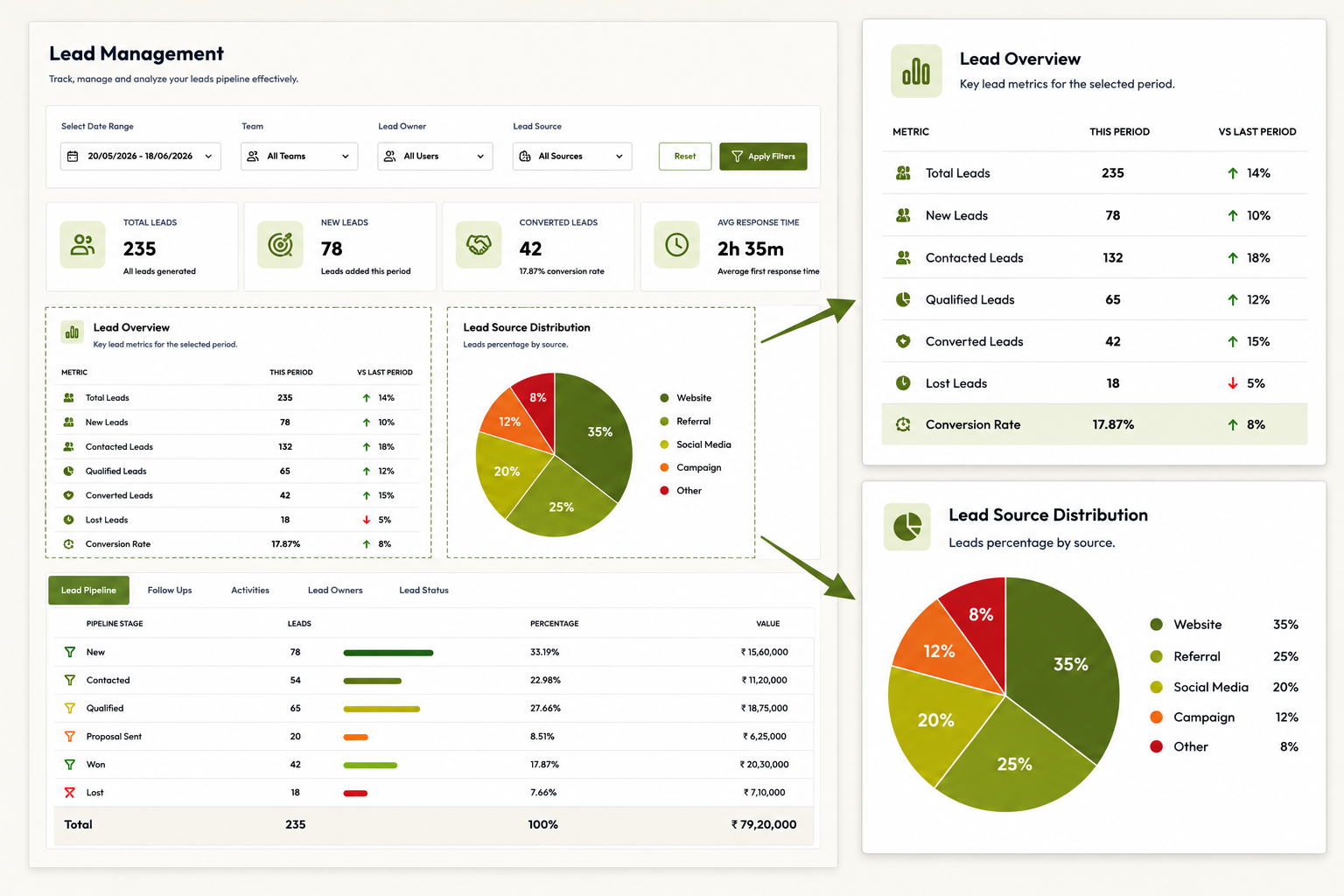
Managers can monitor lead velocity metrics and identify pipeline bottlenecks directly from the executive board.

Got Questions?
Frequently Asked Questions
Overdue follow-ups are highlighted in red on both the agent's mobile screen and manager dashboard, triggering reminder alerts.
Yes. Account administrators can add, reorder, or rename custom call tags and outcomes according to company sales terminology.
Yes. Auto-escalation rules can reallocate untouched leads to an available agent if no call is initiated within a specified timeframe (e.g. 15 minutes).