Contact Integration
To access this feature, open your DialSummary Dashboard and select Contact Insights. Examine comprehensive 360-degree customer caller histories, sentiment scoring, behavioral patterns, and previous interaction timelines.
Setup Instructions
Step 1
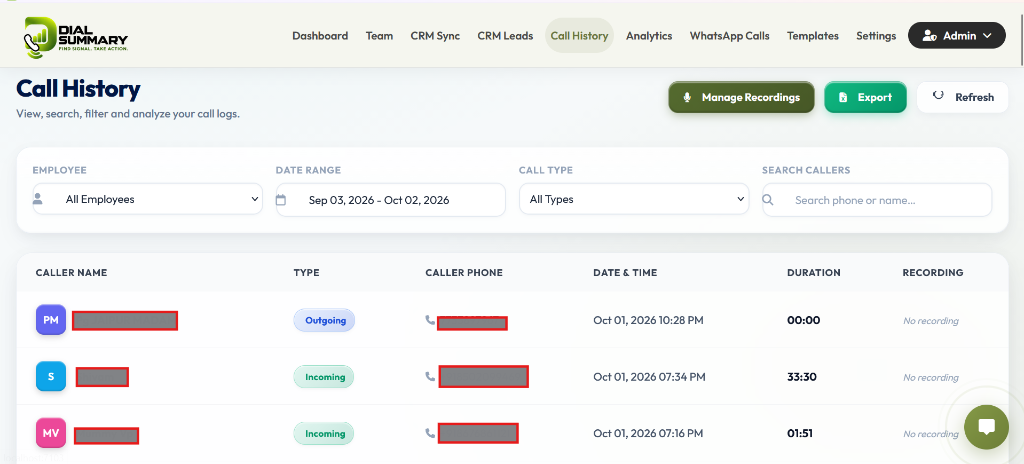
Search for any lead or customer phone number in the top global search bar or click on any contact name from the call history roster.
Step 2
The 360° Profile Card displays lifetime call count, total talk time, first touch date, and latest disposition outcome.
Step 3
Review the AI Sentiment score (Positive, Neutral, Negative) computed from call duration ratios and agent disposition notes.
Step 4
Inspect the chronological activity thread highlighting which team members spoke to the prospect and what notes were captured.
Step 5
Click Schedule Callback or Assign Next Owner to prevent leads from going cold.
Step 6
Add quick custom tags (e.g., High Intent, Follow Up Tomorrow, Decision Maker) for smart segmentation.
Got Questions?
Frequently Asked Questions
Sentiment is derived from call outcome tags, duration thresholds, repeat inquiries, and keyword analysis logged in wrap-up notes.
Yes. All interaction notes are unified in the central timeline with agent attribution and timestamps, allowing seamless team handoffs.
Yes, managers can export the complete timeline summary with one click from the upper right actions menu on any contact's page.