Missed Opportunity Recovery
To access this feature, open your CRM Dashboard and click on Missed Calls & Recovery. Instantly surface missed and unanswered calls so telecallers can reconnect while customer interest is fresh, eliminating lost revenue from delayed responses.
Setup Instructions
Step 1
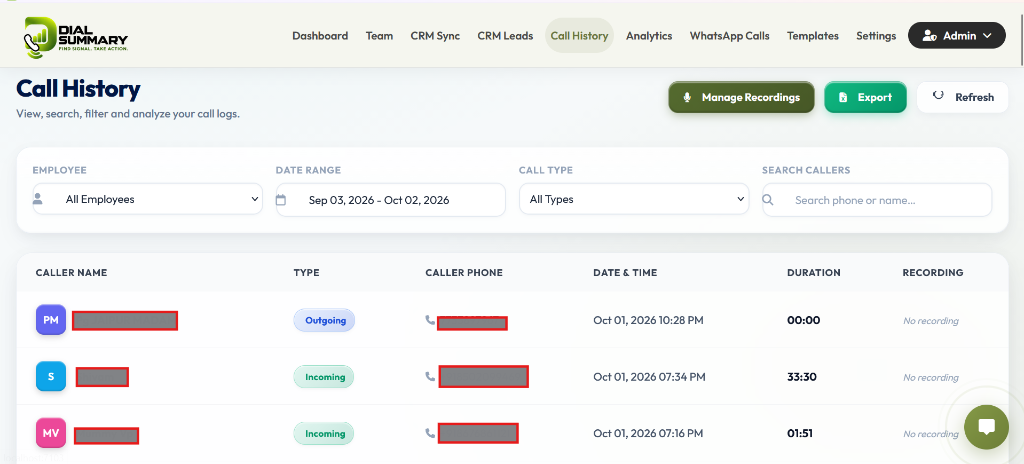
Open your DialSummary app or web workspace and toggle the Missed Calls tab in your call dashboard.
Step 2
Incoming unanswered or rejected calls are automatically highlighted with urgent amber or red callback badges.
Step 3
Click Convert to Callback to queue an instant callback notification for the assigned agent or team.
Step 4
Telecallers can initiate a single-tap redial directly from their mobile screen or web dialer.
Step 5
Once connected, the opportunity automatically transitions to "Recovered" with logged duration and outcome notes.
Got Questions?
Frequently Asked Questions
DialSummary automatically highlights unresolved missed calls on your manager dashboard and mobile notification center until a callback is completed.
Instantly. Within seconds of an incoming call dropping or finishing unanswered, the event is registered and prioritized in the callback queue.
Yes. The system automatically links subsequent outgoing calls to the original missed event, marking it as resolved and recording the response time latency.